Docker vs Kubernetes: Understanding the Difference in Modern Containerization
A Practical Guide to Choosing the Right Tool for Container Management
Welcome to my corner of the cloud, where ideas scale faster than servers and downtime is not an option! Here, I write about everything from spinning up VPCs to tearing down myths about the cloud. Whether you’re an engineer, a curious learner, or someone who just likes seeing words like 'serverless' and 'auto-scaling,' you’re in the right place. Consider this blog your high-availability zone for tips, tutorials, and tech thoughts—delivered with 99.99% uptime .
In today’s cloud-native era, containers have transformed the way applications are built, shipped, and scaled. Two of the most talked-about technologies in this space are Docker and Kubernetes. While both are essential in the container ecosystem, they serve very different purposes.
What is Docker?
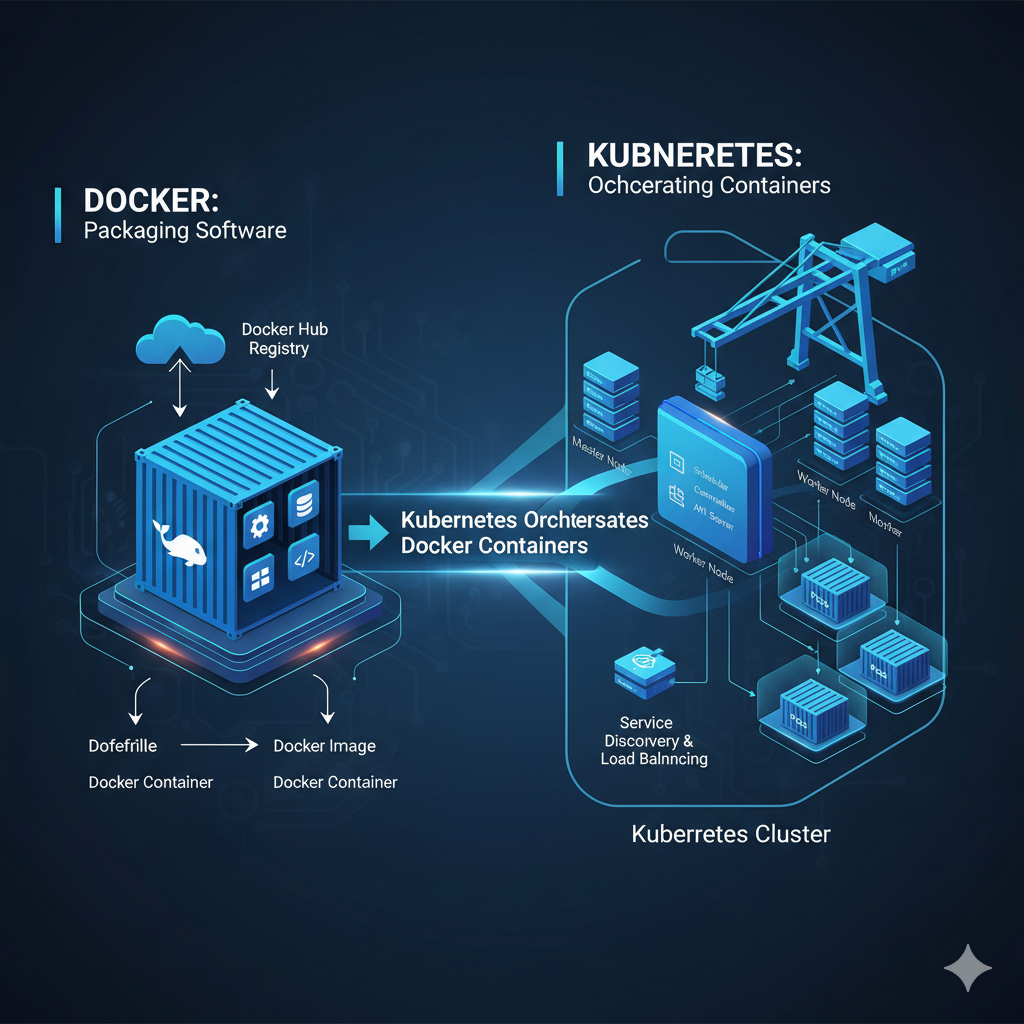
Docker is a containerization platform that allows developers to package applications and their dependencies into lightweight, portable containers. It ensures consistency across environments, from development laptops to production servers. With Docker, you can:
Build images using Dockerfiles.
Run isolated containers.
Share applications seamlessly via Docker Hub.
Think of Docker as the tool to create and run containers.
What is Kubernetes?
Kubernetes, often abbreviated as K8s, is a container orchestration platform. It helps you manage a large number of containers across clusters of machines. Kubernetes handles the heavy lifting of:
Scaling containers up or down based on demand.
Self-healing by restarting failed containers.
Load balancing traffic across containers.
Managing updates and rollbacks with zero downtime.
In short, Kubernetes is designed to manage containers at scale.
Docker vs Kubernetes: Key Differences
| Feature | Docker | Kubernetes |
| Purpose | Containerization | Container orchestration |
| Scale | Works best for small setups | Built for large, complex systems |
| Focus | Packaging and running containers | Managing, scaling, and automating |
| Ease of Use | Simple for beginners | Steeper learning curve |
How They Work Together
It’s not Docker vs Kubernetes in the real world—it’s often Docker and Kubernetes. You use Docker to build and package containers, and Kubernetes to deploy and manage them at scale.
Common Misconceptions about Docker and Kubernetes
“Kubernetes replaces Docker” – Not true. Docker is for packaging containers, Kubernetes is for managing them. They complement each other.
“You must always use Kubernetes” – Not necessary. For small projects or hobby apps, Docker Compose is often enough.
“Kubernetes is only for big companies” – While large enterprises use it heavily, even small teams benefit if they’re running multiple services that need scaling.
Alternatives to Docker and Kubernetes
Docker Alternatives: Podman, containerd, Buildah.
Kubernetes Alternatives: Docker Swarm (simpler orchestration), Amazon ECS (AWS native), Nomad (by HashiCorp).
These alternatives can be a better fit depending on project size, budget, or ecosystem.
Challenges You Might Face
With Docker:
Image bloat if not optimized.
Security risks if pulling images from unverified sources.
Networking can get tricky when scaling beyond a single host.
With Kubernetes:
Steep learning curve for beginners.
Requires strong monitoring and logging setup.
Cluster management overhead without managed services like EKS, GKE, or AKS.
Kubernetes with Managed Services
Running Kubernetes manually can be tough. Cloud providers offer Managed Kubernetes Services:
Amazon EKS (Elastic Kubernetes Service)
Google GKE (Google Kubernetes Engine)
Azure AKS (Azure Kubernetes Service)
These take away much of the cluster management burden while letting you focus on deploying workloads.
Industry Use Cases
Docker in Practice:
Developers building consistent local environments.
Packaging apps for CI/CD pipelines.
Rapid prototyping.
Kubernetes in Practice:
Large-scale microservices architectures.
Running ML/AI workloads that need scaling.
Hosting SaaS products with global user bases.
Final Comparison Snapshot
Use Docker when you need: quick packaging, consistent environments, and easy distribution.
Use Kubernetes when you need: orchestration, automation, and scalability across multiple machines.
Use Both Together for building and running production-grade systems.
Final Thoughts
If you’re just starting out, learn Docker first to understand how containers work. Once you’re comfortable, dive into Kubernetes to explore scaling, orchestration, and automation in production environments. Together, they form the backbone of modern cloud-native development.


